Assign customers
Leaders assign or reassign customers and conversations, so everyone knows who is looking after whom.
kChannel puts every customer conversation in one inbox your team shares: Zalo OA today, Facebook Messenger next, then marketplaces such as Shopee and TikTok Shop. Leaders assign each customer to the right person, nobody works from a personal Zalo, and AI drafts every reply from your own documents.

Start with Zalo OA today. Each new channel lands in the same inbox, with the same AI drafts, rules and reports.
Official Account messages, history import and replies from the shared inbox.
Fanpage conversations in the same inbox, with the same AI drafts and rules.
Buyer chat from your Shopee shop, next to your other channels.
Buyer messages from TikTok Shop, answered by the same team.
Further e-commerce platforms, added as our customers need them.
Leaders assign each customer to the right person in one step. The whole team works from the company's accounts, so the history stays when someone changes shift or leaves.
Pick a teammate, add a short hand-off note and confirm. The conversation, its lead or case and every past message go with it, and the log shows who handed over and who took over.
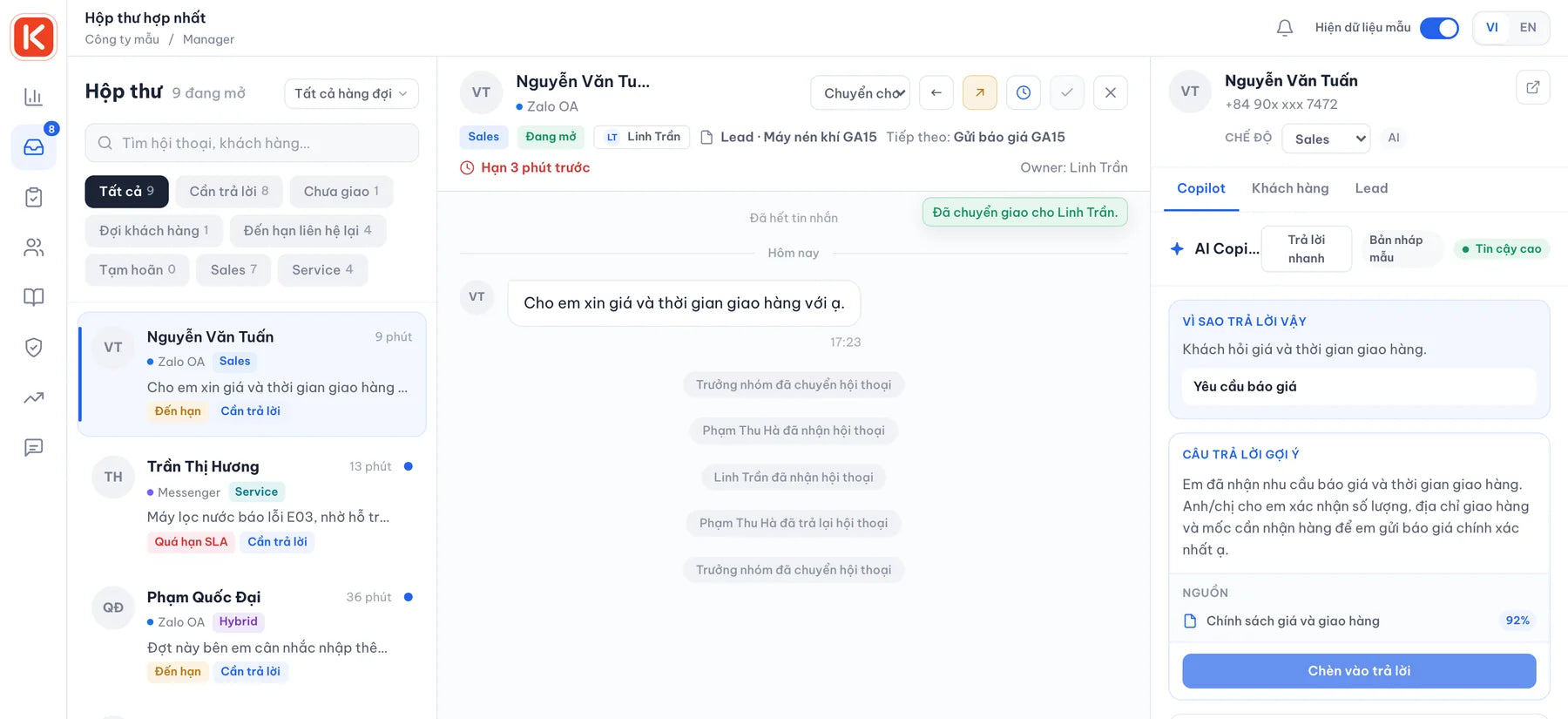
Leaders assign or reassign customers and conversations, so everyone knows who is looking after whom.
When someone is away, a teammate takes over with the full history and a hand-off note.
Conversations run on the company's Zalo OA, so customers and their history stay when staff leave.
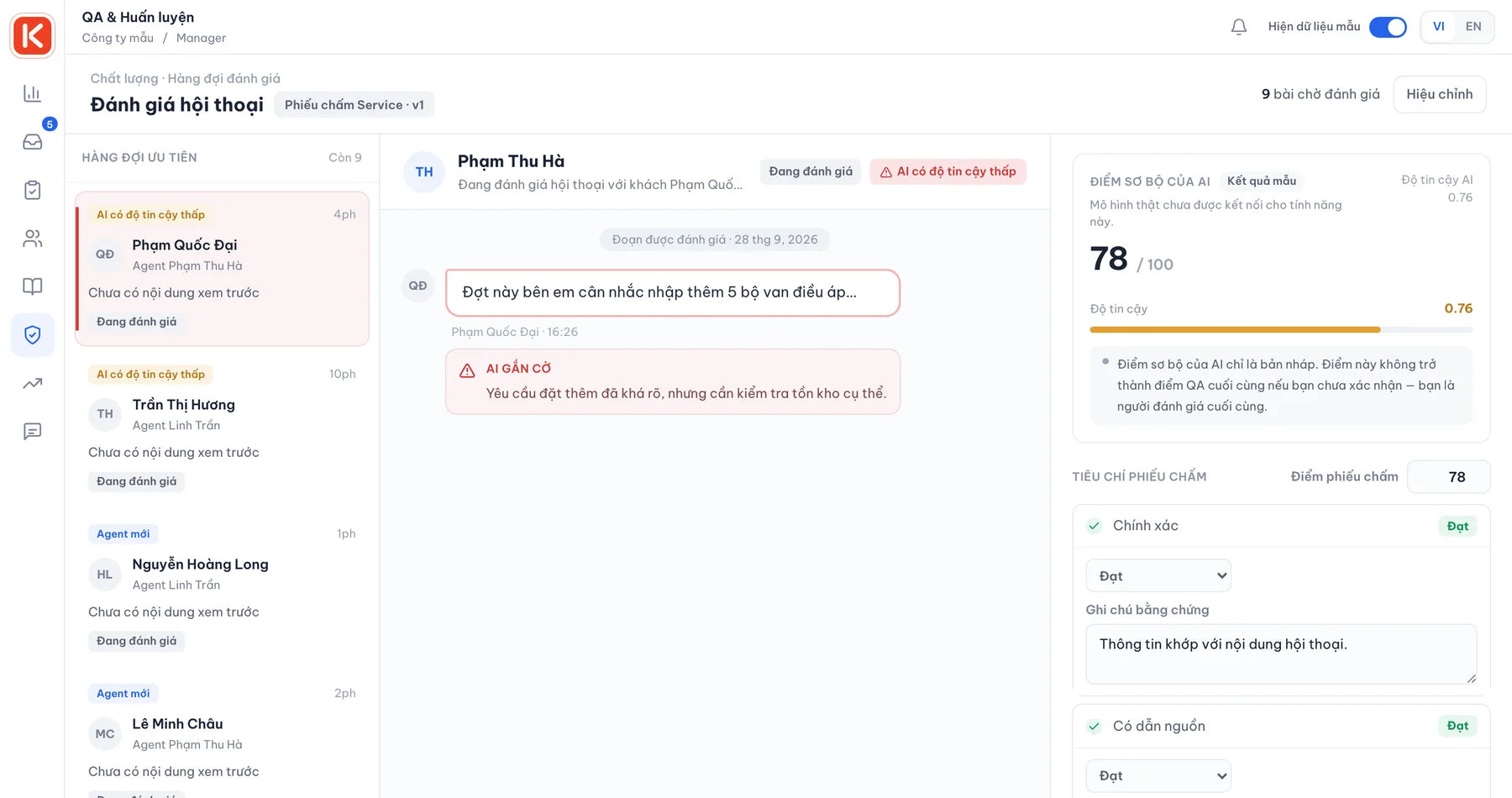
Managers read real conversations, review their quality and coach from them.
Each conversation is classified as sales or service as it arrives, so it lands with the right person.
Every draft cites the documents it used and shows how confident it is. Price promises, warranty claims, refund requests and angry customers are flagged for a manager.
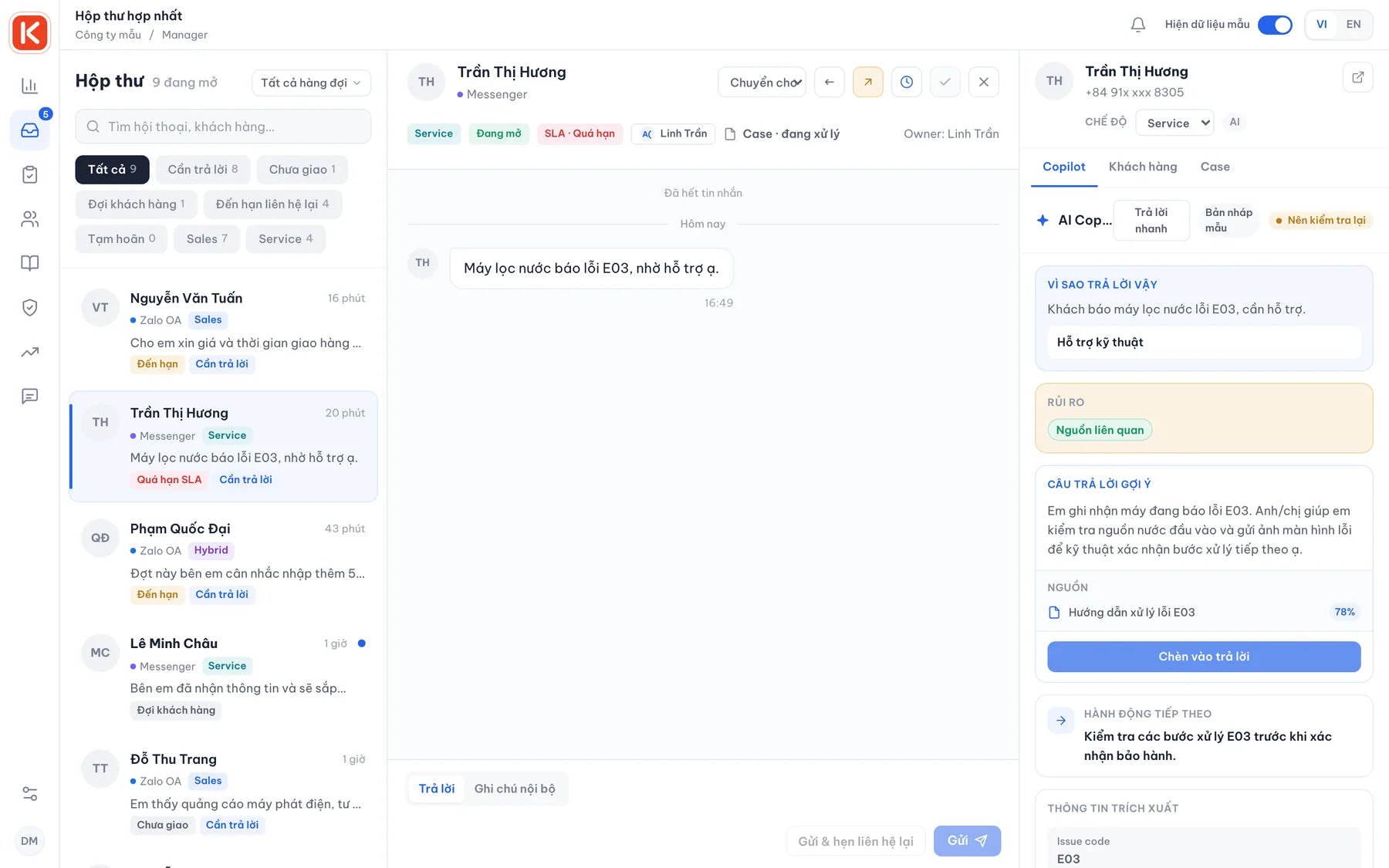
AI pulls the phone number, email, tax code and company name out of the chat; staff confirm with one click.
Every lead from a chat lands on the pipeline with its value, stage and next follow-up, and leads left too long without contact are called out.
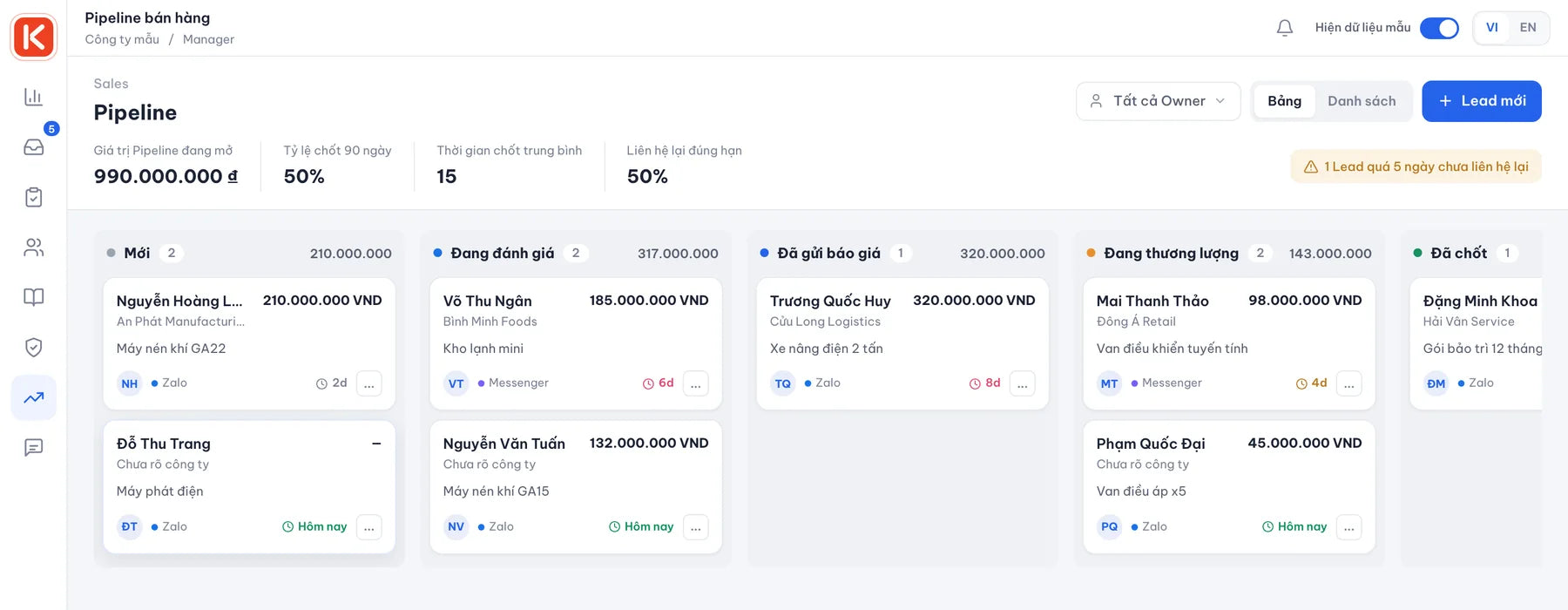
Product interest, budget, timeline, decision maker and quotes sent, all in one record.
Severity, status, resolution code and root cause for every service request.
The timer follows your working hours and pauses while you wait for the customer.
When a case moves up, AI writes the summary and the manager confirms it.
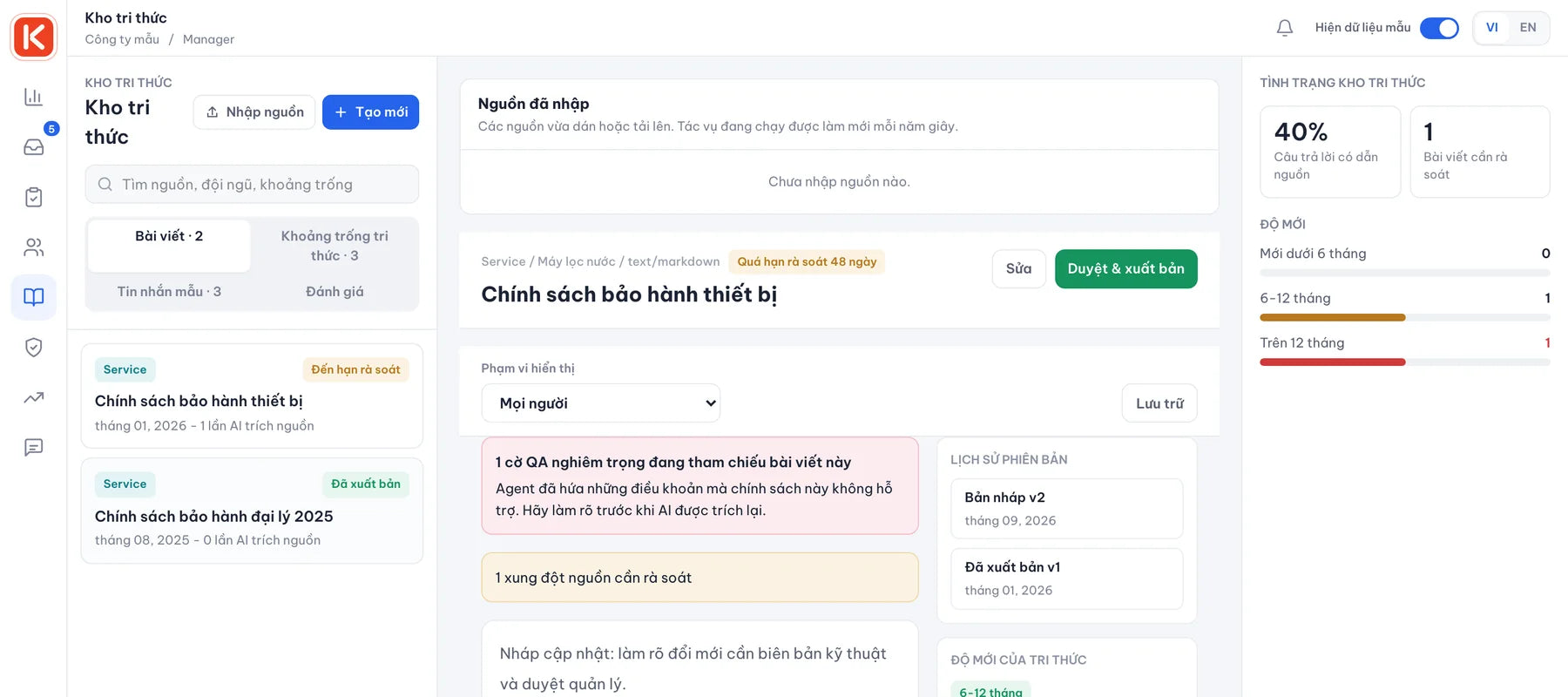
Import catalogues, price lists and policies as PDF, DOCX, CSV or text. Each article has an owner, a version and a publish step.
Mark the facts AI may rely on. When an answer would go beyond them, the draft says it has no source instead of making one up.
Managers review risky conversations first, score them independently to agree on the bar, and turn each finding into a coaching task.
The review queue puts critical flags and low-confidence AI replies first. The manager makes the final call and assigns the coaching step.
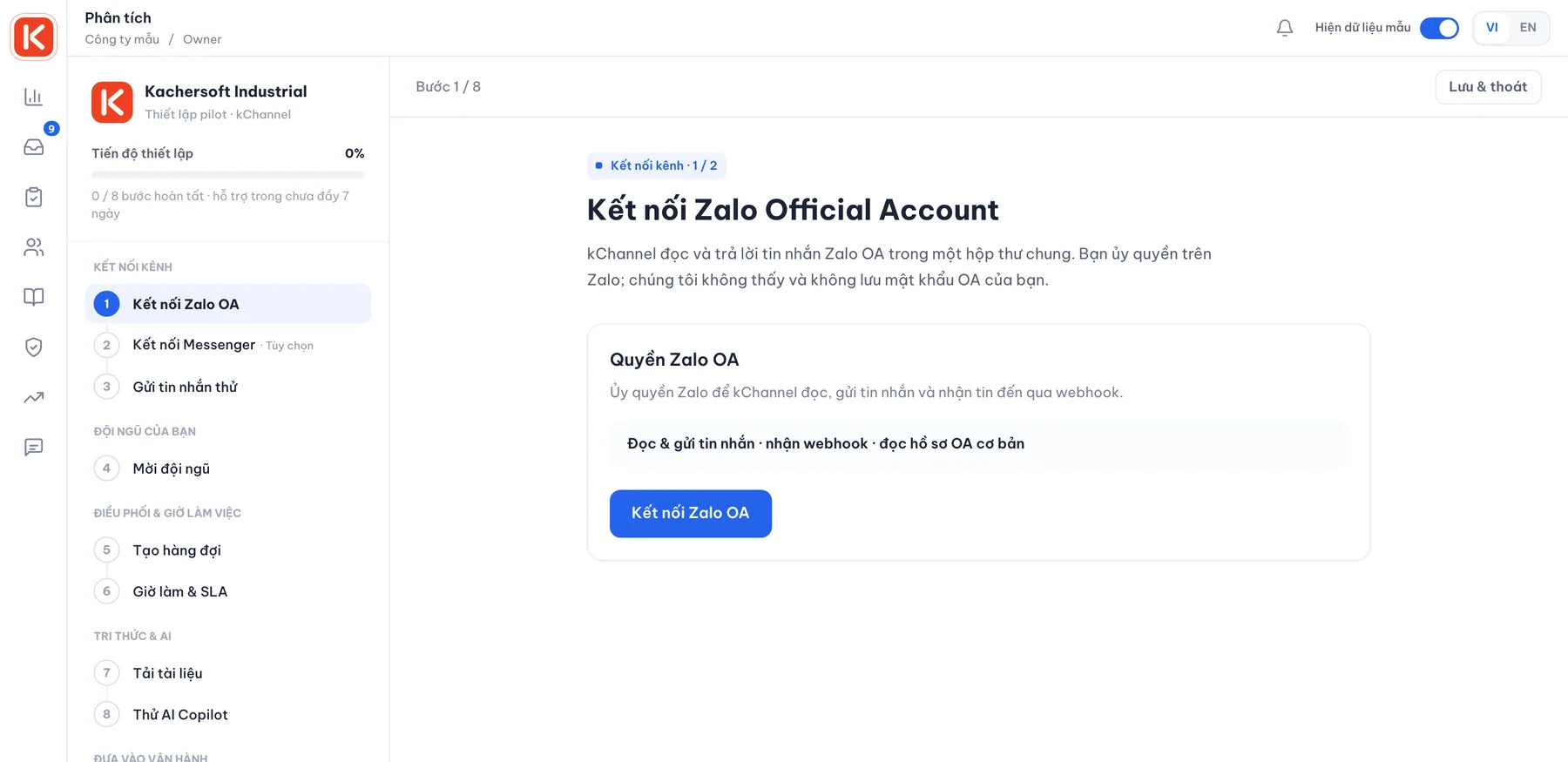
kChannel is piloting at Phú Thái Tech. The setup wizard takes your team through nine steps, and Kachersoft supports you through the pilot.
Authorise on Zalo; kChannel never sees your OA password.
Staff, managers and owners each see only what their role allows.
Set who handles what, your working hours and response targets.
Upload documents, choose the AI provider and test replies before going live.
Start with one team, measure the baseline, then widen.
OpenAI, Anthropic Claude, Google Gemini or a compatible endpoint, with your own key and daily budget limits.
Versioned rules for when a source is required and which actions need a person's approval.
Agent, manager and owner access is enforced on the server.
Changes to setup, team, AI provider and data are logged and can be exported.
Database and files are backed up off-site every night, with a weekly restore test.
Decide how long conversations are kept, and export your data when you need it.
Zalo Official Account today, and Facebook Messenger next. Shopee, TikTok Shop and other e-commerce platforms are coming soon, so every customer message ends up in one inbox.
kChannel runs on servers managed by Kachersoft, with encrypted off-site backups every night. Your conversations stay inside your own workspace. To draft a reply, the text is sent to the AI provider you choose, and phone numbers, emails and tax codes can be masked first.
It does not retrain on your customers' messages. It looks up passages in the knowledge articles your team has published and cites them. When staff drop a draft, the reason is logged as a knowledge gap for a manager to fill.
Owners can export analytics and workspace data as JSON or CSV. Every export is recorded in the audit log.
The setup wizard covers channels, team, queues, SLA, knowledge and an AI test in nine steps. How long it takes mostly depends on having Zalo OA admin access and your documents ready; we agree the pilot scope in the first call.